
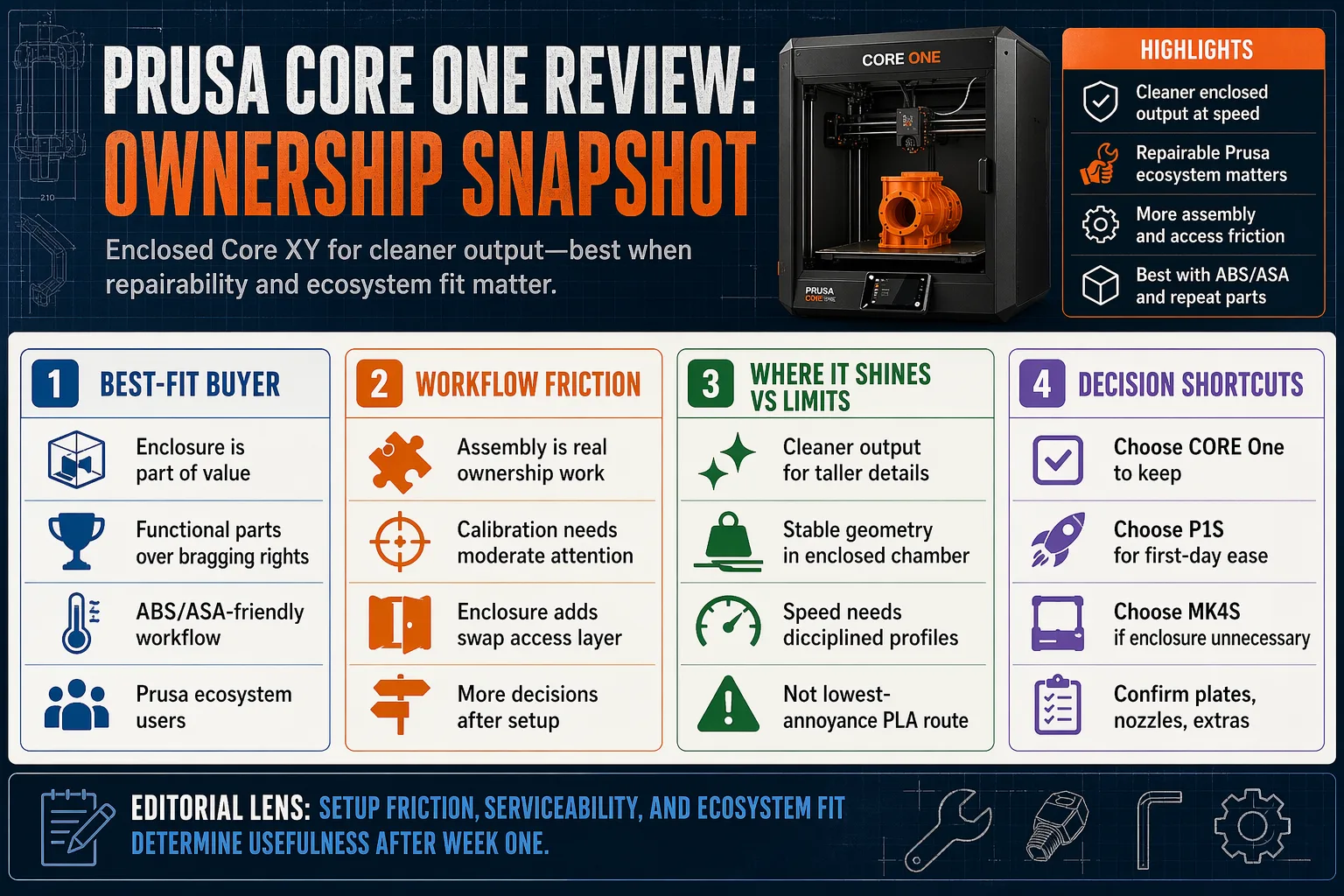
Quick Take
Prusa CORE One fits buyers who want an enclosed machine to keep, not just try. It makes the most sense when ownership quality matters more than appliance simplicity.
Best-for / not-for decision box
- Best for: functional parts, ABS or ASA, Prusa ecosystem users, and owners who plan to repair rather than replace.
- Not for: buyers who want the fastest route to a first successful print with the fewest choices.
- Cleaner alternative: Bambu Lab P1S for lower setup friction.
- Open Prusa alternative: Prusa MK4S if enclosure is not part of the job.
| Decision axis | Prusa CORE One | Bambu Lab P1S | Why it matters |
|---|---|---|---|
| Setup friction | Moderate, assembly and profile attention included | Low, more appliance-like | Decides how fast the printer becomes useful |
| Enclosed workflow | Strong | Strong | Controls temperature-sensitive prints better than open-frame machines |
| Repair and parts logic | Strong | Weaker | Changes the annoyance cost after year one |
longer-term ownership considerations
Design of the Prusa CORE One
The enclosure is part of the value, not decoration. It gives the machine a more controlled print environment and a more appliance-like profile than an open bedslinger, but it also adds bulk and another access layer during filament swaps.
Core XY motion matters here because the moving mass stays controlled while speed rises. That matters more for repeat functional parts than for bragging rights. The trade-off is simple: more control, less casual access.
Assembling the Prusa CORE One
Assembly is real ownership work. That is a drawback for buyers who want a finished box, but it pays back later because the machine is easier to understand and maintain when something needs attention.
The first-week burden is the price of the platform. Buyers who want a machine that feels invisible on day one will prefer the P1S.
Prusa CORE One: Included in the Box
Treat the base package as printer-first, accessory-light. Confirm build plates, nozzles, and material-specific extras before checkout if those items matter to your workflow.
That matters because the total ownership cost lives in wear items and accessories, not just the chassis. The box is the start of the decision, not the whole decision.
Setup-to-result expectation guide
| Stage | Owner effort | What changes |
|---|---|---|
| Assembly | Front-loaded time | Lower mystery later |
| First calibration | Moderate attention | Cleaner first prints |
| Regular use | Low once dialed | Stable enclosed workflow |
What It Does Well
Prusa quality with Core XY speed
The strongest case for the CORE One is not raw speed, it is cleaner output at speed. A Core XY layout and enclosed chamber support more stable geometry than an open machine when the part gets tall, detailed, or material-sensitive.
That gives the printer a real edge for jigs, brackets, enclosures, and repeat prototypes. The drawback is that speed only helps if filament stays dry and profiles stay disciplined. Sloppy material prep turns any fast printer into a fast problem.
Smart features that reduce babysitting
Prusa’s smart features are useful because they cut interruptions, not because they feel flashy. The workflow aims at predictable printing, profile control, and less guesswork after setup.
Compared with Bambu Lab’s P1S, the CORE One gives up some first-day polish and gains a more open ownership path. That trade-off matters for buyers who want a printer they can understand, service, and keep.
Where It Falls Short
The main downside is ownership friction. Assembly, enclosure access, and material management make this a less casual purchase than a P1S.
It also brings the space penalty of an enclosed machine. Buyers who print mostly PLA on a desk get less value from the enclosure, and they still pay the inconvenience of opening it during swaps or maintenance.
- Not the easiest route to the first successful print.
- Not the best choice for buyers who want a machine that disappears into the background.
- Not the lowest-annoyance option for PLA-only workflows.
What Most Buyers Miss About Prusa Core One
The real decision factor is not the enclosure or Core XY label, it is whether the buyer wants a repairable platform or an appliance. Prusa’s parts logic, slicer habits, and accessory ecosystem lower regret after year one because the machine stays understandable instead of becoming disposable.
That openness adds decisions. Profile choice, sheet choice, and accessory fit all stay part of the workflow. Buyers who already own Prusa gear gain the most here. Buyers who want one app, one path, and no extra questions will find the P1S simpler.
How It Stacks Up
The CORE One sits between Prusa’s open-frame familiarity and Bambu Lab’s appliance-style convenience. That middle ground is its real position in the market.
| Scenario | Prusa CORE One | Bambu Lab P1S | Prusa MK4S |
|---|---|---|---|
| Least setup friction | Middle | Best | Middle |
| Enclosed ABS or ASA workflow | Strong | Strong | Weak without add-ons |
| Repairability and open parts | Strong | Weaker | Strong |
| Already own Prusa accessories | Best fit | Poor fit | Good fit |
The P1S wins for buyers who want fewer decisions and faster onboarding. The MK4S wins for buyers who want a simpler Prusa path and do not need enclosure. The CORE One wins when ownership transparency matters more than convenience theater.
Best Fit Buyers
Buy this if you want:
- An enclosed printer for functional parts.
- A Prusa platform you can maintain yourself.
- A machine that rewards long-term ownership.
- A better fit for existing Prusa accessories and habits.
The cleaner alternative for buyers who want less setup is Bambu Lab P1S. The better alternative for buyers who do not need an enclosure is Prusa MK4S.
Who Should Skip This
Skip it if you want the least-friction appliance.
- You want a machine that goes from box to print with minimal thought.
- You print almost all PLA and do not need enclosure benefits.
- You dislike assembly.
- You want the open-frame Prusa experience, where MK4S fits better.
This model turns ownership into a project before it becomes a habit. Buyers who want the printer to vanish into the room will be happier with the P1S.
What Changes Over Time
This is where the CORE One starts to make more sense. Prusa’s repair model lowers the panic cost of wear items because the machine is built to stay in service.
We lack year-3 failure data for this model, so the long-term call rests on design logic and support structure rather than a proven multi-year public track record. That is still enough for buyers who keep printers for years.
The used market also tends to reward recognizable, serviceable machines. A printer with accessible parts and a known ecosystem holds its usefulness better than a sealed box with dead ends.
How It Fails
Most guides blame speed when an enclosed printer misbehaves. The first failures usually come from basic ownership mistakes: wet filament, a worn sheet, the wrong profile, or a nozzle that has seen abrasive material.
- Clogged extrusion after abrasive or damp filament.
- First-layer errors from sheet wear or poor prep.
- Maintenance neglect after repeated use.
- Access annoyance when the enclosure gets opened and closed constantly.
The machine is not fragile. It punishes lazy maintenance faster than an open-frame printer does.
The Honest Truth
Prusa CORE One solves a real problem for the right buyer, enclosed speed without leaving the Prusa ecosystem. It does not erase setup work, and it does not beat the easiest appliance on first-day convenience.
Tom’s Hardware Verdict
Tom’s Hardware treated the CORE One as a premium enclosed Prusa machine that earns attention through build quality and practical speed. That framing matches the buying logic here: the printer is strongest when ownership quality matters more than shortcut convenience.
The Hidden Tradeoff
The CORE One’s enclosure is meant to improve controlled printing, but it also adds an extra access step when you need to swap filament or reach the machine during setup and maintenance. In other words, it trades “cleaner workflow” for slightly more owner involvement than the most appliance-like competitors. If you just want the quickest path to a first successful print with minimal handling, that access friction matters more than the enclosed setup benefits.
Final Call
Buy the Prusa CORE One if you want an enclosed, serviceable printer for repeated functional work and you accept assembly as part of the deal. Skip it if you want the least-friction path to a first print, because Bambu Lab P1S does that job better.
Decision checklist
- Buy if you plan to keep the printer for years.
- Buy if repairability matters.
- Buy if you already use Prusa-style accessories or profiles.
- Skip if you want a machine that disappears into the background.
- Skip if your workload is mostly PLA and enclosure benefits do not matter.
That makes the recommendation positive, but conditional. The CORE One is the better long-term buy. The P1S is the better short-term buy.
FAQ
Is Prusa CORE One better than Bambu Lab P1S?
The CORE One is better for buyers who value repairability, Prusa support, and ecosystem openness. The P1S is better for buyers who want the easiest setup and the fewest decisions.
Is the assembly a deal-breaker?
No for buyers who want to understand and maintain the machine. Yes for buyers who want a finished appliance with minimal setup work.
Does the enclosure matter for PLA?
Only if the buyer values environmental stability more than open access. For PLA-only printing, the enclosure adds bulk and another thing to manage.
Is it worth upgrading from a Prusa MK4S?
Yes if enclosure and Core XY workflow solve a real material or speed problem. No if the MK4S already covers the materials and part sizes you print most.
What should I buy with it first?
A spare build surface, the right nozzles for your materials, and dry storage for filament. Those items affect day-to-day use more than cosmetic add-ons.