Quick take
That is why the Hi Combo makes sense for some people and feels like too much machine for others. If you print signs, display pieces, classroom models, nameplates, or parts where a color change is part of the design, the added hardware has a clear job. If your output is mostly brackets, holders, calibration parts, and other one-color utility prints, the combo layer adds work without much payoff.
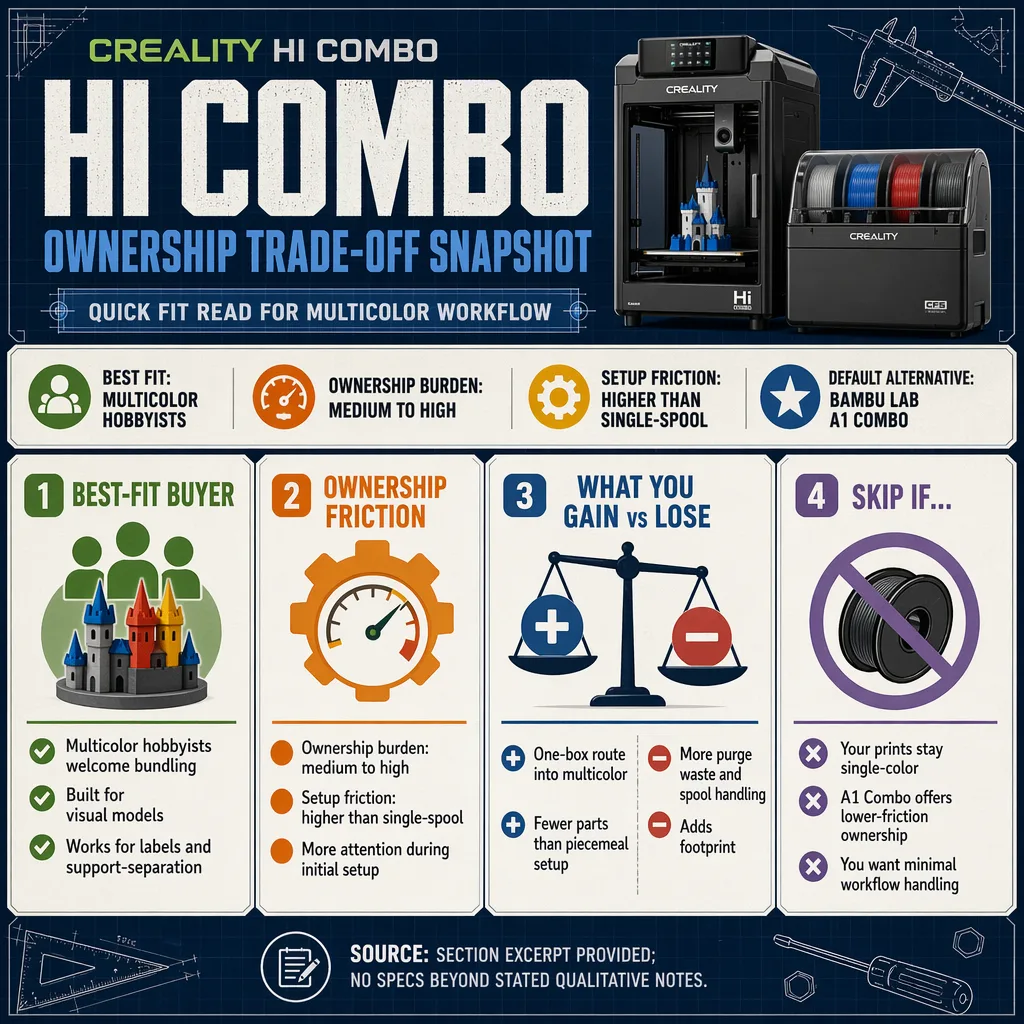
Fast buyer fit
| Buyer type | Fit |
|---|---|
| Multicolor hobbyist | Strong |
| Creality-focused buyer | Strong |
| First printer with no color plans | Weak |
| Mostly single-color utility work | Weak |
| Tight desk or crowded workspace | Weak |
| Buyer who wants the simplest ownership | Better look at a simpler printer |
Pros
- Bundled path into multicolor printing. You do not need to build a color-capable setup from separate pieces.
- Useful for parts where color matters. Labels, signage, display models, and other visual prints get more out of the combo than plain utility work does.
- Cleaner buying decision. One package is easier to plan around than a stack of add-ons.
- Better fit when color is part of the workflow. If you already know you want that capability, the extra hardware is easier to justify.
Cons
- More setup and more to keep organized. A combo system asks for more attention than a single-spool printer.
- More filament management. Spools, feed paths, and loading decisions become part of the routine.
- More waste during color changes. That is part of how multicolor printing works, and it matters if you print often.
- Not a great match for plain utility parts. If the job does not need color changes, the extra hardware is just extra complexity.
- Larger ownership footprint. The printer itself is only part of the space it needs.
What the Hi Combo changes
A combo printer is closer to a small print station than a basic desktop machine. That is not a bad thing, but it should be a deliberate choice. The benefit is obvious when the finished part needs multiple colors or a more complex material workflow. The cost shows up in the less glamorous parts of ownership: more room for the printer and filament hardware, more attention when setting up a job, and more opportunities for a spool or feed path to slow things down.
That is why the Hi Combo is better thought of as a workflow choice than a specs choice. A printer with multicolor support is only useful if you actually print in a way that takes advantage of it. Otherwise, the machine behaves like a more complicated version of a simpler tool.
Who should buy it
Buy the Hi Combo if you already know you will use multicolor printing often. Good examples are display pieces, presentation models, classroom projects, branded items, nameplates, and designs where the color change is part of the finished look. It also makes sense if you want the convenience of a bundled Creality route rather than assembling a multicolor setup piece by piece.
It can also work for makers who are comfortable keeping filament organized. If your workspace already has room for storage and you do not mind a little more setup time before each print, the combo format is easier to live with.
Who should skip it
Skip it if most of your prints are functional and one-color. That includes brackets, clips, mounts, enclosures, repair parts, and simple workshop helpers. In those jobs, the Hi Combo does not make the print better; it just adds more to manage.
Skip it if you want the calmest possible first printer. A multicolor setup is not the easiest way to start 3D printing. It asks more from the user before the first useful part comes off the bed.
Skip it if your desk space is already tight. Combo systems are less forgiving in a cramped area because the printer is only part of the footprint. You also need room to keep filament accessible and tidy.
The practical alternatives
| Option | Best for | Why pick it | Why skip it |
|---|---|---|---|
| Bambu Lab A1 Combo | First multicolor printer | Easier ownership and a simpler path into color printing | Less attractive if you want to stay in a Creality-centered setup |
| Basic single-extruder printer | Utility parts and learning | Less waste, fewer moving parts, easier day-to-day use | No multicolor convenience |
| Creality Hi Combo | Buyers who want bundled multicolor support | One-package approach to color work | More involved than a plain printer |
For most new buyers who simply want the easiest route into multicolor printing, the Bambu Lab A1 Combo is still the cleaner default. The Hi Combo makes more sense when the Creality angle matters to you or when you already know the added workflow is part of your plan.
Before you buy
Use this simple filter:
- You print multicolor pieces often enough to justify the extra hardware.
- You have room for the printer and the added filament setup.
- You are comfortable keeping spools organized and feeding them cleanly.
- You want a combo machine, not just a printer with a fancy extra on the side.
- Your common jobs are not all simple single-color utility parts.
If those points describe your use case, the Hi Combo starts to look reasonable. If most of your answers go the other way, a simpler printer will probably serve you better and ask less of you in return.
Final verdict
The Creality Hi Combo is a focused buy, not a universal recommendation. Its value shows up when multicolor printing is something you will actually use, not something you hope to use someday. In that scenario, the bundled setup is easier to justify than assembling a color workflow from scratch.
For everyone else, especially buyers making mostly single-color functional parts, the Hi Combo is more machine than they need. The Bambu Lab A1 Combo remains the easier multicolor default, and a basic single-extruder printer is still the better tool when simplicity matters more than color.
If you want the Creality path and you plan to use multicolor support regularly, the Hi Combo earns a place on the shortlist. If not, skip the extra complexity and choose the simpler printer.
FAQ
Is the Creality Hi Combo a good first 3D printer?
It can be, but only for someone who already wants multicolor printing. For a first-time buyer who wants the easiest start, a simpler printer is the better move.
Does multicolor printing help with single-color parts?
No. If the part stays one color, the extra hardware does not add much value and can make ownership more complicated than it needs to be.
What kind of prints make the Hi Combo more useful?
Color-coded models, display pieces, nameplates, signs, and other jobs where the finished look matters more than pure utility.
When should I choose a simpler printer instead?
Choose a simpler printer if you mostly make brackets, holders, repair parts, or other one-color prints. That kind of workload does not need the extra combo hardware.
See Also
If you are weighing this model, also compare it with Bambu Lab High Temp Engineering Filament Review, Creality Space Pi Filament Dryer: Is It Worth the Price?, and Bambu Lab Vision Encoder Review: Features and Buying Notes.
For broader context before you decide, How to Choose Your Next 3D Printer Upgrade Path and Bambu Lab P1S vs X1 Carbon: Differences and Which to Buy help round out the trade-offs.